
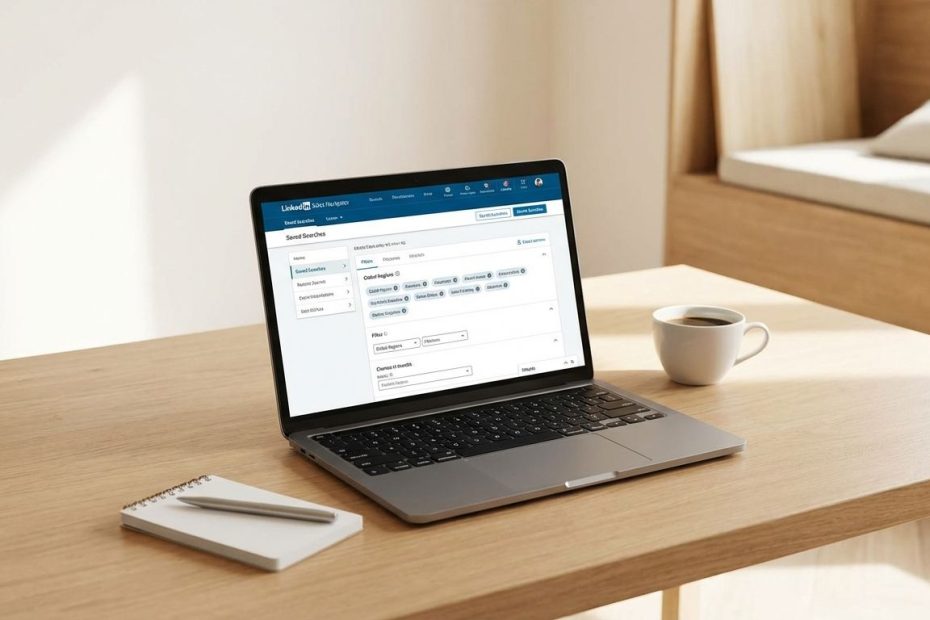
LinkedIn Sales Navigator expands your global business network by giving you consistent, repeatable ways to find the right buyers by region, monitor changes that create opening moments, and reach decision-makers with controlled outbound through InMail and content-sharing tools.
You already know “more connections” does not equal “more pipeline.” This guide shows how to use Sales Navigator like an operator: how to target international markets with precision, how to avoid burning limits, how to choose the right plan, and how to build a workflow your team can run across time zones without constant reinvention.
What Is LinkedIn Sales Navigator, And How Does It Help You Expand A Global Business Network?
Sales Navigator is LinkedIn’s paid selling workspace built for prospecting, account targeting, and outbound execution. It is designed to help you identify the right people inside the right companies, then keep those targets organized as leads and accounts so you can work them like a book of business. When expansion goes international, that organization becomes the difference between scalable coverage and chaos.
Global growth creates two predictable problems: target definition shifts market to market, and your timing windows get harder to catch across time zones. Sales Navigator addresses both by letting you filter your searches in a structured way, save those searches, and rely on alerts when people change roles, post content, or when accounts show activity you can act on. The outcome is a pipeline engine that runs on signals and segmentation, not on manual scraping and one-off guesswork.
Operationally, the biggest benefit is repeatability. You can build a region-specific slice, lock it into a saved search, and generate new prospects continuously without rebuilding criteria every week. You stop thinking in terms of random profile hunts and start thinking in terms of coverage: which regions, which industries, which headcount ranges, which buying roles, and which seniority bands you own.
LinkedIn promotes Sales Navigator as enabling search with 50+ filters, with the goal of pinpointing the right buyers, then acting via saved filters and lead alerts. That matters globally because every geography forces tradeoffs: titles vary, org structures differ, and buying committees do not map cleanly across regions. Filters give you the control to adapt without losing consistency.
How Do You Use Sales Navigator Filters To Find International Leads Without Drowning In Irrelevant Results?
International lead generation fails when targeting starts broad and stays broad. A global filter set that reads well on paper can produce thousands of results you will never work. The move is to design “market slices” that remain stable enough to reuse, yet narrow enough to action. Your aim is a saved search that produces a manageable flow of new prospects every day, not a bloated list you abandon after two hours.
Start by anchoring your slice with geography, then pin industry, then lock the buying role. From there, tighten with seniority and company size, then add one intent-like qualifier that signals relevance in that market. That qualifier can be a functional keyword, a product category, a department label, or a common title pattern in that region. Do not overfit on perfect titles, because titles vary widely by country and by company maturity.
Once a slice yields results you can actually work, convert it into a saved search with a naming convention your whole team follows. Names should encode region, metro if needed, sector, buying role, and seniority. That structure keeps handoffs clean when a rep changes patch or when leadership reviews coverage. It also makes analytics usable because your searches represent strategy, not personal habits.
Breaking down large markets is another practical necessity. If a country returns too many results, split by metro areas, split by headcount bands, or split by seniority. This does more than reduce volume. It lets you tailor messaging, because the trigger points and objections in one metro or one maturity band can differ materially from another, even inside the same country.
Filtering discipline also protects you from wasteful profile viewing. When you run repeated broad searches and click aggressively, usage limits become a real operational blocker. A saved-search workflow reduces the need to keep browsing the same universe over and over, and that keeps your month from getting derailed at the worst time.
How Much Does LinkedIn Sales Navigator Cost In 2026, And Which Plan Fits Global Teams Best?
Pricing matters globally because licenses multiply fast, and the wrong tier shows up as a process problem later. LinkedIn’s published pricing indicates Core starts at US$119.99/month (or US$1,079.88/year) and Advanced starts at US$159.99/month (or US$1,799.88/year), with pricing varying by billing frequency and currency. Advanced Plus is positioned as a rep-sold option with expanded controls and integrations, rather than a simple self-serve upgrade.
For global business networking, Core can work when the motion is founder-led sales, solo consulting, or a small team that needs reliable prospecting without complex governance. It gives you the ability to identify leads, run targeted searches, and execute outreach at a steady pace. It is also the easiest entry point when a team is still learning what “good targeting” looks like by market.
Advanced typically fits teams that sell with more rigor and need collaboration features, stronger workflow tooling, and capabilities that support higher activity. When multiple reps cover regions, the value is less about a single seller’s efficiency and more about standardization across sellers. Standardization is what makes international expansion measurable, because leadership can compare what is happening in the UK versus DACH versus APAC using similar definitions and activity patterns.
Advanced Plus usually becomes relevant when enterprise workflows are non-negotiable, and when CRM control, data quality, and pipeline governance matter as much as prospecting. Global teams often end up here when they need consistent lead and account capture into their systems, when they cannot tolerate duplicate records, and when they want tighter alignment between LinkedIn activity and revenue operations reporting. It is less about “more features,” more about operational wiring.
How Many InMail Credits Do You Get, When Do They Reset, And Why Does UTC Matter For Global Outreach?
Sales Navigator includes 50 InMail credits per month across subscription types, and credits are allocated on the first day of each month in UTC. This detail matters because global teams do not feel “the first day” at the same local time. The reset can land midday for some regions, late evening for others, and that changes how you plan month-end outbound pushes.
InMail credit rules shape outbound strategy more than most teams admit. LinkedIn indicates additional credits cannot be purchased, credits can accumulate up to 150, and unused credits roll forward with time constraints. You can also receive credits back when recipients respond within the defined window. Those mechanics reward message quality and penalize “spray and pray,” which is exactly how international outbound gets teams throttled and ignored.
UTC reset timing creates operational edge cases. If a team runs heavy outbound on the last business day of the month in the US, a rep in Europe may already be operating in the next month’s allocation window or approaching it sooner. That inconsistency becomes visible when reps compare numbers, or when managers chase activity targets without realizing credits are time-bound differently by time zone. A clean fix is to operate on a shared “InMail calendar” that references UTC for allocation and internal reporting.
Also, plan for how credits are consumed across sequences. If a cadence includes multiple InMails to the same person before they respond, credits burn fast with limited upside. A global playbook performs better when InMail is reserved for high-fit roles, high-value accounts, and situations where a connection request is likely to stall because you do not share context, region, or mutual connections.
Why Does LinkedIn Show “You Have Reached The Limit” Even When InMail Credits Remain?
Teams often confuse credits with sending permission. Credits are a unit of allocation, but platform safeguards can still restrict behavior patterns that look automated, repetitive, or unusually high volume. That restriction can show up as a “limit” message even if the credit counter has not hit zero. In practice, this means outbound capacity is not only a budgeting issue, it is also a quality-control issue.
The practical fix is straightforward: reduce patterns that resemble templated blasting. That includes sending large runs of copy-paste messages with minimal variation, hammering the same role across a short window, and pushing too many first-touch InMails without any other engagement path. Global prospecting already fights trust and relevance barriers, so generic messaging is punished harder than in a local market where brand familiarity may already exist.
Use InMail as a precision channel. Reserve it for roles where email is hard to obtain, where a warm intro is not available, or where the account is actively signaling interest via content engagement or activity. When you can lead with a connection request or a shared community touchpoint, that route usually preserves credits and protects sending reputation over time.
Also, keep a diversified outreach mix. Commenting thoughtfully, engaging with a prospect’s posts, and using TeamLink-style warm paths reduces the burden on InMail. When a region’s outbound relies on a single method, any throttling event can wipe out an entire month’s plan.
What Are Smart Links, And How Do They Improve Global Follow-Up Across Time Zones?
Smart Links let you package multiple content assets into a single trackable link you can share from within Sales Navigator. You can include presentations, videos, and URLs, then track viewing behavior and see what prospects engage with. When outreach spans time zones, Smart Links reduce the back-and-forth that slows momentum, because prospects can self-serve materials when it suits them.
Smart Links perform best when content is mapped to a clean decision path. One asset should answer “what this is,” one should show proof, and one should address commercial evaluation. That order matters for international expansion because stakeholders often include regional evaluators plus global approvers. You need assets that support both groups without forcing a live meeting to deliver basics.
LinkedIn notes that Smart Links are available to Sales Navigator Advanced or Advanced Plus accounts, and they can be viewed by people with or without LinkedIn accounts. That matters when international buyers prefer not to click into social platforms during evaluation, or when procurement and legal stakeholders want materials without extra friction.
Smart Links also tighten follow-up timing. Instead of chasing a prospect days later with a generic “checking in,” you can reference what they consumed and align the next touch to their interest area. That keeps the conversation anchored to business relevance, which is essential when cultural differences and language differences can magnify small missteps in tone.
How Do Commercial Use Limits Affect Global Prospecting, And How Do You Keep Your Team Productive?
LinkedIn enforces a commercial use limit tied to profile searching and browsing behaviors. When you hit it, search and browsing are restricted until the reset, and LinkedIn does not display the exact number of searches or views remaining. The published reset timing is midnight PST on the 1st of each calendar month, which can catch global teams off guard when they operate primarily outside North American time zones.
Commercial use limits shape how you should design daily workflow. High-frequency searching, heavy “People Also Viewed” browsing, and repeated profile viewing will burn capacity quickly. International prospecting tempts sellers into that behavior because they are learning new title patterns and new company types, so they click more profiles to orient themselves. That curiosity is understandable, yet it becomes expensive in platform capacity.
Build productivity around lists and alerts rather than constant fresh search. Leads saved into structured lists reduce repeated browsing, and alerts surface the right moments without you having to “hunt” every morning. That also improves coaching, because managers can review what lists exist for each region, how they were built, and whether the territory strategy is defined with clarity.
Operational safeguards help. Set weekly prospecting blocks instead of one massive day of searching, distribute research across team members, and define “search budgets” by region. Train reps to refine filters early, so they do not scroll through thousands of results and click profiles randomly. When global expansion becomes real, the team that preserves platform capacity wins the month.
How Do You Use LinkedIn Sales Navigator To Build A Global Network Fast?
- Define 3–5 region-specific buyer slices
- Run 50+ filters, then save searches
- Save leads, use alerts for timing
- Use 50 monthly InMails selectively
- Share Smart Links, follow up on engagement
Turn Sales Navigator Into A Global Revenue Habit
Sales Navigator delivers global reach when it is operated with discipline: tight market slices, saved searches, and consistent lead management that reduces wasted browsing. Plan choice matters because scaling internationally demands standardization, collaboration, and in many teams, deeper CRM wiring. InMail works when you protect quality and plan around the UTC reset, and Smart Links help you move prospects forward even when time zones slow live conversations. Commercial use limits are manageable when your team works from lists and alerts instead of constant searching. Put these pieces together and you get a repeatable engine that expands your network, increases relevance, and keeps pipeline coverage steady across regions.
References
- LinkedIn Sales Navigator Product Page (50+ filters, 50 monthly InMail credits)
- LinkedIn Sales Navigator Compare Plans And Pricing (Core and Advanced pricing)
- LinkedIn Help: Understand InMail Credits In Sales Navigator (50 credits, UTC reset, rollover rules)
- Sales Navigator Help: Access Smart Links FAQ (availability, tracking, viewer behavior)
- Sales Navigator Help: Commercial Use Limit (activities, reset timing).

Olivier Gillier is a global investment strategist and co-founder of RioBlanco Capital LLC, with over 20 years of experience in wealth management and international markets. A former Senior Vice President at Merrill Lynch, he now focuses on private equity, cross-border finance, and philanthropic initiatives worldwide.