
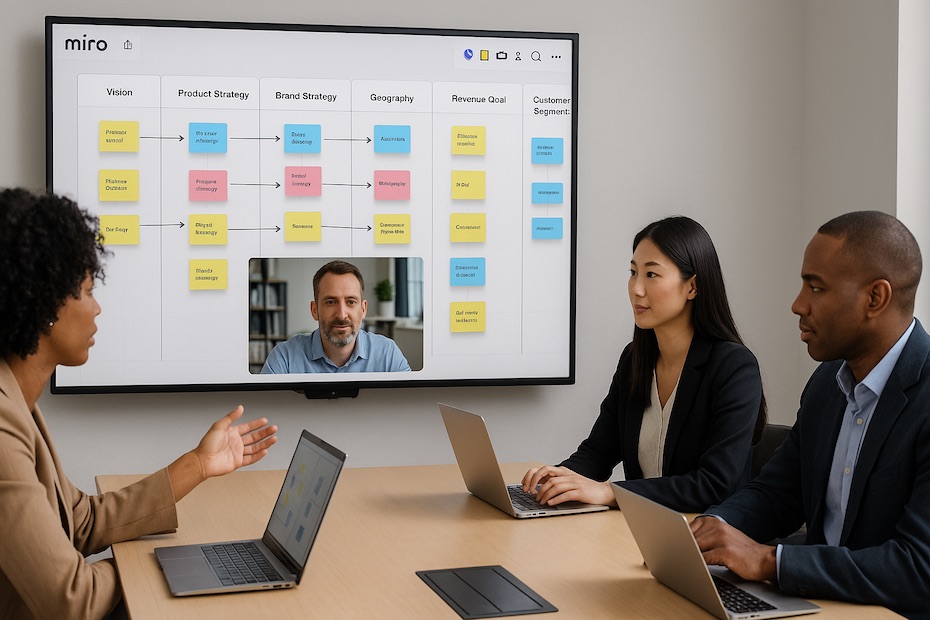
You can accelerate global alignment and execution by using Miro for strategic planning to connect teams, visualize objectives, and turn strategic concepts into actionable roadmaps.
This article explores how Miro’s visual collaboration tools empower leaders to organize strategy sessions, align distributed teams, and manage execution seamlessly. You’ll learn how to set up collaborative boards, integrate Miro into your workflows, and make it the center of your planning process—no matter how global your team is.
What Makes Miro a Strategic Planning Powerhouse
Miro is more than a whiteboard—it’s an interactive workspace for visual strategy design, team alignment, and continuous improvement. With over 60 million users worldwide and integrations with tools like Jira, Slack, and Notion, it’s become the standard for distributed collaboration.
As a leader, you use Miro to consolidate fragmented planning processes. Instead of juggling spreadsheets, slide decks, and emails, everything sits on a single digital canvas—accessible in real time across teams and time zones. Strategic frameworks such as SWOT, OKRs, and Porter’s Five Forces are pre-built into templates, so you can move from discussion to documentation in minutes.
Executives report measurable gains from this visual approach. According to Miro’s 2025 Strategy Collaboration Report, companies that adopted visual boards for strategic planning saw 30% faster alignment and 25% fewer follow-up meetings during execution cycles.
How Global Teams Use Miro for Strategy Development
Remote and hybrid structures have changed how you lead. Strategic planning used to rely on physical workshops; now it requires cloud-based spaces where everyone can contribute asynchronously.
Miro solves that by creating what’s effectively a virtual strategy room. Each participant—whether in New York or Singapore—can add notes, vote on priorities, and review updates without delay. You can host synchronous sessions with timers and voting features or run asynchronous planning boards where regional teams post inputs overnight.
A European SaaS firm recently used Miro for its annual planning. Leadership designed a global board, divided regions into zones, and gave each team 48 hours to populate priorities. Miro’s version control tracked every contribution, allowing executives to merge ideas transparently. The process cut their planning cycle from three weeks to five days.
Key Miro Features That Elevate Strategic Planning
You don’t need to be a design expert to make Miro work for you. Its interface simplifies structure without limiting depth. The most valuable features for strategy sessions include:
Templates for Planning Frameworks: Access ready-made templates like OKRs, Balanced Scorecards, Business Model Canvas, and Roadmaps. They let you standardize how your teams brainstorm and track objectives.
Real-Time Co-Editing and Commenting: Dozens of users can work on one board simultaneously. Integrated video and sticky-note reactions keep discussions fluid, even when you’re not in the same room.
Integrations and Data Embedding: Link Miro boards with project management platforms (Asana, Jira, ClickUp) and analytics dashboards (Power BI, Tableau). This transforms static visuals into dynamic planning hubs.
Presentation and Workshop Tools: Use timer, voting, and facilitator modes to guide meetings efficiently. Present sections of a board without switching apps, helping you maintain focus during executive reviews.
This combination of flexibility and structure is why Miro isn’t just for brainstorming—it’s for managing execution visually.
Steps to Implement Miro in Your Planning Cycle
Step 1: Define Your Planning Cadence
Decide how frequently you’ll conduct strategic sessions—quarterly, bi-annually, or annually. Set up a workspace hierarchy in Miro (e.g., company > department > initiative) to keep plans organized.
Step 2: Choose Templates That Match Your Methodology
If you work with OKRs, start with Miro’s OKR Planning Board. For longer-term direction, use the Strategy Mapping Template to connect goals with KPIs and owners.
Step 3: Host Interactive Planning Workshops
Invite cross-functional leaders to a live Miro session. Use the voting tool to prioritize initiatives, then assign actions directly within the board. You’ll immediately identify alignment gaps and dependencies.
Step 4: Link Strategy to Execution Tools
Sync Miro with Jira or Asana. Each objective becomes a live task tracked through your project management suite. This keeps strategy visible and measurable.
Step 5: Maintain and Review Boards Monthly
Treat your board as a living system. Schedule monthly check-ins, update metrics, and highlight blockers. This rhythm keeps strategy aligned with execution realities.
A repeatable framework like this saves your team from “strategy drift,” where objectives lose clarity as operations evolve.
Why Visual Collaboration Outperforms Traditional Planning
Traditional planning documents—PowerPoint decks or static spreadsheets—don’t invite participation. They represent strategy to people, not with them.
Miro flips that dynamic by giving everyone a literal space to contribute. Employees can add context, adjust priorities, and visualize how their work ladders up to company goals. This shared ownership boosts buy-in and reduces resistance to change.
Moreover, visual boards make complex data intuitive. Instead of reading through multi-page briefs, your teams can see connections between markets, customers, and KPIs at a glance. It’s the clarity that drives action—not the number of slides.
Companies that moved from static planning to Miro report 50% shorter decision-making cycles and higher participation rates in strategic sessions.
How Miro Enables Asynchronous Global Collaboration
In global teams, synchronous collaboration isn’t always possible. Miro’s asynchronous functionality—comments, tagging, and activity tracking—lets your team collaborate on their own schedule without losing context.
You can assign reviewers, tag team members for specific updates, and record short Loom-style video comments directly in the board. This means strategy evolves continuously instead of stalling between meetings.
A fintech startup with offices in London, Toronto, and Dubai built its three-year plan this way. Leadership outlined a skeleton board, regional heads filled in regional strategies asynchronously, and Miro automatically recorded who added what. The final plan combined perspectives without time-zone bottlenecks.
This “follow-the-sun” workflow gives you 24-hour progress—even when half your team is asleep.
Maintaining Alignment Across Teams and Time Zones
As organizations grow, alignment fractures easily. You can’t rely on memory or email chains to keep everyone synchronized. Miro solves that by centralizing strategy visualization in one accessible place.
Start by assigning board owners—one per department or initiative. Their job is to maintain updates, integrate metrics, and tag stakeholders for revisions. The version history feature ensures you never lose track of changes.
Miro’s advanced permissions also help control visibility. You can keep executive boards private, while project-level boards remain open for team contribution. This layered access structure ensures transparency without oversharing sensitive information.
Consistent communication on the board itself—using color codes, milestones, and comments—keeps strategy alive between meetings.
Turning Miro into a Continuous Strategy Hub
Most teams stop using Miro once the workshop ends. That’s a mistake. The greatest value emerges when you evolve it into a permanent strategic operating system.
Here’s how you can make that shift:
- Pin key metrics and dashboards directly into your strategy board.
- Replace quarterly presentations with live Miro updates.
- Use integrations to pull data from CRM and finance systems.
- Create a “strategic review” zone for post-mortems and adjustments.
- Schedule recurring alignment sessions directly within Miro.
When your board becomes the single source of truth, you’ll eliminate duplication and ensure every decision traces back to an agreed-upon strategy.
Companies that maintain a living strategy board in Miro report 20–30% faster response to market changes because everyone has real-time visibility into evolving priorities.
How to Use Miro for Strategic Planning
- Create strategy maps using built-in templates.
- Collaborate with global teams in real time or asynchronously.
- Link goals to execution tools like Jira or Asana.
- Keep strategy visible with live dashboards and shared boards.
Lead with Clarity Through Visual Strategy
Using Miro for strategic planning transforms the way you lead. It replaces siloed processes with collaborative visualization, helping your team align around priorities, stay accountable, and act decisively. By embedding Miro into your strategic cadence, you make collaboration measurable and progress transparent.

Olivier Gillier is a global investment strategist and co-founder of RioBlanco Capital LLC, with over 20 years of experience in wealth management and international markets. A former Senior Vice President at Merrill Lynch, he now focuses on private equity, cross-border finance, and philanthropic initiatives worldwide.